


Sling: Live TV + Freestream
4.442.19K Reviews
App Specs
- Version
- 9.5.92
- Updated On
- License
- Free
- Downloads
- 10,000,000+
- Developer
- Sling TV
- Categories
- Entertainment
- Platform
- Android, iOS
Screenshots

 Analysis by AppCompare
Have you ever been scrolling through your streaming apps and felt like you were in a labyrinth? So many choices, yet nothing truly satisfying? Well, let me introduce you to Sling: Live TV + Freestream, the app that's been shaking up my streaming game.
Where Sling fits in a crowded streaming routine
I see Sling as an entertainment app for people who still want a live-TV habit but would rather manage it through a phone or connected screen than sign up for a traditional cable package. It is made by Sling TV, L.L.C., and the combination of live channels with a separate free viewing option gives it two different jobs: helping me follow what is on now, and giving me something to put on when I have no particular program in mind.
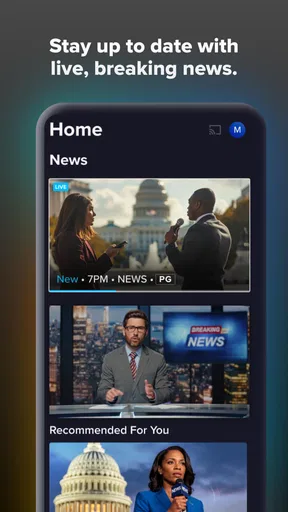
That distinction matters when choosing between Sling and a typical on-demand service. A library-first app is usually better when I want to pick one exact film or series and watch it at my own pace. Sling makes more sense when the appeal is live news, sports, or the familiar feeling of browsing channels. I would not treat it as a direct replacement for every streaming subscription; its value depends on whether I actually use live television.
The app is free to install, but that does not mean every viewing option is free. Sling includes in-app purchases, with listed item prices ranging from under a dollar to just under a hundred dollars. I would check the plan and purchase details in the app before committing, then compare the total with the services I already pay for. The useful question is not simply whether Sling costs less than cable, but whether its particular mix of channels and viewing choices fits my household.
A Seamless Blend of Live TV and On-Demand Content
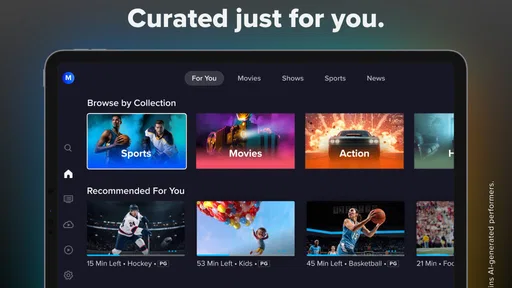
When I first downloaded Sling: Live TV + Freestream, I wasn’t sure what to expect. I mean, there are plenty of apps out there promising the best of both worlds — live TV and on-demand content. But Sling delivers this in a way that feels fresh and intuitive. The interface is clean, making it easy to navigate between live television channels and the vast library of on-demand options.
Channel Surfing, Reinvented
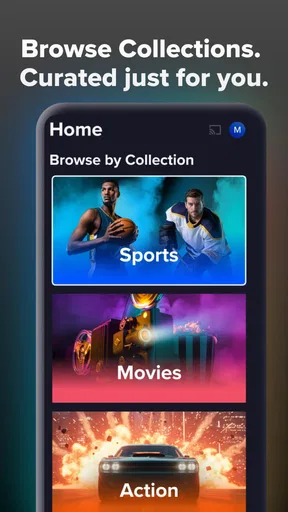
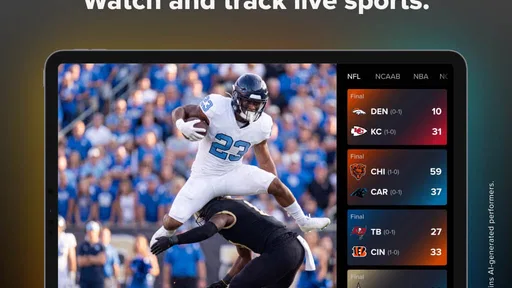
Let’s talk about the live TV feature. Sling offers a wide array of channels, from news to sports to entertainment. What caught my eye was the customizable nature of the experience. You can tailor your channel lineup to suit your preferences without being shackled by a rigid package. It's like having a cable subscription, but without the commitment.
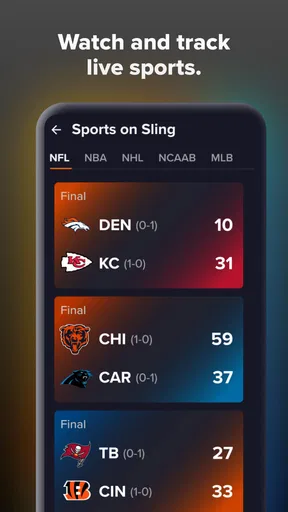
A practical way to judge that flexibility is to write down the channels I genuinely watch before picking a plan. If my must-haves are spread across different options, the apparent freedom to customize may still involve a trade-off in cost or selection. I would also browse the lineup at the time I plan to watch rather than assume that any particular event or channel will be available. For sports especially, channel access can matter more than the general promise of live coverage.
Worth Reading Before You Choose

EA SPORTS FC Mobile 26 Is a Bigger Football Game, but It Takes Time

Flipboard Shows What News Apps Must Do Beyond the Feed

Switching to Android Auto Means Rethinking Your Driving Routine

Google Calendar Makes a Crowded Week Easier to Manage

Ludo King Makes the Most of the Minutes Between Plans

Baby Panda World Brings Quick Play to Modern Phones, but Its Game Library Feels Busy
One thing I found particularly useful is the cloud DVR. It allows you to record shows and watch them whenever you like. For someone like me who can’t always catch my favorite shows live, this feature is a lifesaver.
Recording is most helpful when I treat it as a backup for specific programs, not as a reason to stop checking the schedule. Before relying on a recording, I would confirm that the show is available to record and that it appears in my saved list. That small habit is useful when a live game runs long or a show starts while I am still commuting. It also makes the app more than a channel guide: I can plan around real life instead of arranging my evening around a broadcast time.
Making live viewing work in an ordinary day
For example, I might open Sling during a lunch break to see what is happening in the news, then save a program I want to watch after dinner. If plans change, I can return to the recording rather than trying to catch the broadcast at exactly the right moment. On a quieter evening, the free section can be a low-effort alternative when I do not want to decide which paid service to open. Those are distinct use cases, and the app is strongest when I use both sides for what they do well.
For a household, I would agree on a short list of favorite channels and shows before making Sling the shared default. One person’s sports preference can make a live-TV package worthwhile while another mainly wants films, but that does not automatically mean one plan will satisfy everyone. Checking the lineup together avoids the common mistake of paying for a package because one headline channel sounds appealing, then rarely using it.
Dive into Freestream
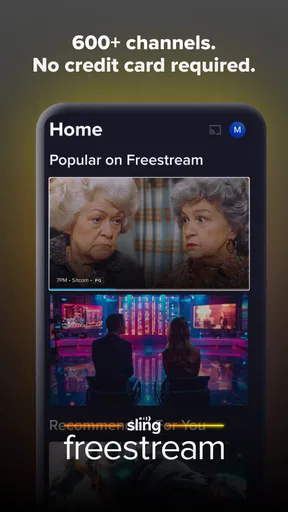
Now, onto the Freestream feature. This part of the app is a treasure trove of free content. Whether you're into binge-watching the latest series or exploring indie films, there's something here for everyone. Sling’s Freestream offers a variety of genres and titles, meaning you’ll rarely find yourself bored.
The practical trade-off is that free viewing is supported by ads, so I would choose it for casual browsing rather than expect the uninterrupted experience of a paid, ad-free service. It is especially useful when I want background entertainment or something to sample without adding another subscription. If I have a particular new release in mind, a dedicated on-demand service may be a more direct route; if I am open to discovering something, browsing Freestream is a better fit.
I would also keep expectations grounded: the free section is a convenient extra, not a guarantee that every title I want will be there. My approach would be to browse it first when I am undecided, then use a paid service or rental option if I have a specific title in mind. That way, Freestream can help reduce the number of times I pay for entertainment simply because I want something on immediately.
The best part? It’s all ad-supported, so you’re not shelling out extra cash for the content. It’s a smart way to enjoy quality entertainment without the hefty price tag.
Finding a plan that matches your viewing
Before signing up for a paid option, I would compare the channels I watch most with the plan choices shown in the app and consider how often I watch live. Someone who regularly follows news or sports can get more day-to-day use from a live lineup than someone who watches one scripted series at a time. The latter may be happier with a conventional on-demand subscription, especially if live schedules do not matter to them.
It is also worth separating the app’s free installation from the cost of using paid services inside it. The price range for in-app purchases runs from $0.99 to $99.99 per item, so I would read the checkout screen carefully and make sure I understand what I am selecting. I would not assume a free download automatically includes a paid channel package or that a plan is the best value just because it is customizable.
User-Friendly Experience
One of the things that really stood out to me was the app's user interface. Navigating through Sling is a breeze. The sections are clearly marked, and the search function is top-notch, helping you find exactly what you want without the hassle. Plus, the app runs smoothly without any annoying lags or crashes.
Search is most useful when I already know a title or channel; it can save time compared with scanning a long set of categories. When I am undecided, browsing by live programming or exploring the free selection serves a different purpose. I would use those routes separately rather than expect search alone to solve the “what should I watch?” problem. Keeping a few likely channels or shows in mind before opening the app also makes a short viewing break easier to manage.
Setting up was a walk in the park too. I love how Sling makes it easy to sign up and start streaming within minutes. No need to jump through hoops or deal with unnecessary complications.
The app is rated Teen, so I would still make viewing choices with the people who share my screen in mind, particularly when browsing live channels or a broad entertainment catalog. Sling is intended for a wide range of viewers, but a general age rating is not a substitute for checking whether an individual program suits a younger viewer.
What its version history tells me—and what it does not
Sling was released on February 9, 2015, and the current version is 9.5.21. That gives the app a long-running presence and shows that the product has continued to receive version updates. I take that as context, not proof that every part of the experience has changed in a particular way: a version number alone does not tell me which features were added or how a given update affects my device.
For existing users, the sensible approach is to keep the app current and judge changes by the tasks that matter: whether the channel guide remains easy to scan, whether recordings are straightforward to find, and whether playback fits the devices they use. Sling supports devices running Android 7.0 or later. If an older phone is close to that minimum, I would check compatibility before planning to use it as my main screen; a newer device is a safer choice for someone who wants to stream frequently.
Where it can feel less convincing
Sling is not the best choice for everyone. If I rarely watch live channels, a library-based service may be simpler and more useful. If I want an ad-free free catalog, Freestream will not meet that preference, since its content is ad-supported. And if I need a specific channel, I would verify that it is included in the plan I am considering rather than assume that a customizable lineup means every channel is available.
Live viewing also asks me to accept the schedule: a program can begin before I am ready, and a recording only helps when the program can be saved and I remember to set it up. That is a different rhythm from on-demand apps, where I choose a title and start it whenever I like. For people who dislike channel browsing or want complete control over timing, an on-demand alternative will probably feel more natural.
The app has an average rating of 3.0 from around 97,000 ratings, with about 42,000 written reviews, and it has been installed over 10 million times. I read that as a sign of a widely used service with mixed reactions, not as a reason to expect the same experience on every device or with every plan. My own decision would come down to whether its live channels, recording option, and free ad-supported viewing solve a real problem in my routine.
Final Thoughts
In a world overflowing with streaming services, Sling stands out by offering a unique blend of live TV and on-demand content without breaking the bank. Whether you’re a sports fanatic, a news junkie, or just someone who loves to binge-watch, Sling has something for you.
If you’re tired of the same old streaming routine, give Sling a try. It might just become your new go-to app, bringing a fresh perspective to your entertainment landscape. Trust me, this app is worth a spot on your home screen.
Who I would recommend it to
I would recommend Sling to someone who still turns on live TV for news, sports, or a familiar channel, but wants a more flexible alternative to a traditional cable setup. It is also a reasonable choice for a viewer who likes having an ad-supported option nearby for unplanned evenings. The strongest case is for a person who will use the live lineup often enough to justify checking plan details and who appreciates being able to record selected programs for later.
I would skip it if my viewing were almost entirely focused on specific films and series, or if advertising were a deal-breaker. In those situations, a conventional on-demand service is likely to be easier to navigate and better matched to the way I watch. Sling is at its most appealing when its live-TV side is a genuine need rather than a feature I only open once in a while.
What I would check before settling in
My first step would be to confirm the channels I care about and inspect the available plan before paying. Next, I would try the free viewing area to see whether its ad-supported format and selection suit my casual watching. If I plan to rely on recordings, I would make one for a program I know I want and check that it is easy to locate afterward. Those simple checks answer the most useful questions before I make Sling part of my routine.
Overall, I see it as a practical middle ground, not a universal replacement for cable or every streaming subscription. The live guide, customizable approach, cloud DVR, and free section can cover different moods in one app, but each comes with a trade-off: plan choices need attention, live schedules still shape viewing, and free programs include ads. If those compromises work for you, Sling is worth trying; if they do not, a focused on-demand service will likely be the more satisfying choice.
Pros
- Wide variety of live TV channels.
- Flexible subscription options.
- User-friendly interface.
- Includes on-demand content.
- Supports multiple devices.
Cons
- Occasional buffering issues.
- Limited DVR storage capacity.
- Some channels require extra fees.
- Ads in the free version.
- Geographic restrictions apply.
FAQs for Sling: Live TV + Freestream
What is Sling: Live TV + Freestream?
Sling: Live TV + Freestream is a streaming application that provides users with access to a wide range of live television channels and on-demand content. It offers a flexible alternative to traditional cable services, featuring both live TV and a selection of free streaming options for a diverse viewing experience.
What channels are available on Sling: Live TV + Freestream?
Sling offers a variety of channels, including news, sports, entertainment, and lifestyle networks. The exact channel lineup can vary based on the subscription package chosen, but it often includes popular networks like ESPN, CNN, and HGTV, along with many others. Check the Sling website for the most up-to-date channel list.
How does the pricing work for Sling: Live TV + Freestream?
Sling offers several subscription packages, each with different channel offerings and price points. There are usually options for base packages, such as Sling Orange and Sling Blue, which can be customized with add-on packs for sports, kids, or international channels. There are also free streaming options available without a subscription.
What devices are compatible with Sling: Live TV + Freestream?
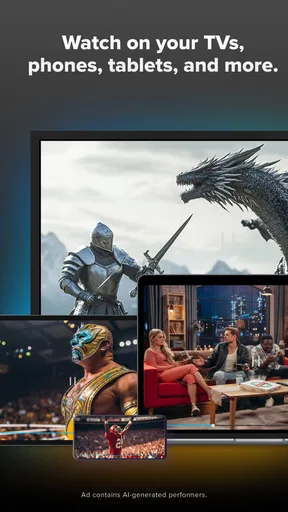
Sling is compatible with a variety of devices, including smartphones, tablets, smart TVs, and streaming devices like Roku, Amazon Fire TV, and Apple TV. It's also accessible via web browsers on computers. Make sure your device meets the app's system requirements for the best viewing experience.
Is there a free trial available for Sling: Live TV + Freestream?
Yes, Sling often offers a free trial period for new users, allowing them to explore the service before committing to a subscription. The trial period length and availability may vary, so it's best to visit the Sling website for the current offers and any specific terms and conditions that may apply.


